

Friday, 1 May 2026, 10:43 AM
Created by: Edwin Pimentel
Recurring invoices allow you to automatically generate and send invoices to your clients on a defined schedule — ideal for retainers, subscriptions, or any regular billing arrangement.
Navigate to Sidebar Menu → Sales → Invoices, then click Add Invoice in the top right corner.
Fill in the invoice details:
Check the Recurring checkbox to activate the recurring options.
Once enabled, configure the recurrence schedule:
| Field | Description |
|---|---|
| Repeat every | Enter a number and select a unit: Days, Weeks, Months, or Years |
| Cycles | The number of times the invoice repeats. Leave empty for infinite recurrence |
Examples:
Repeat every: 1 Month / Cycles: emptyRepeat every: 1 Week / Cycles: 10Repeat every: 3 Months / Cycles: 4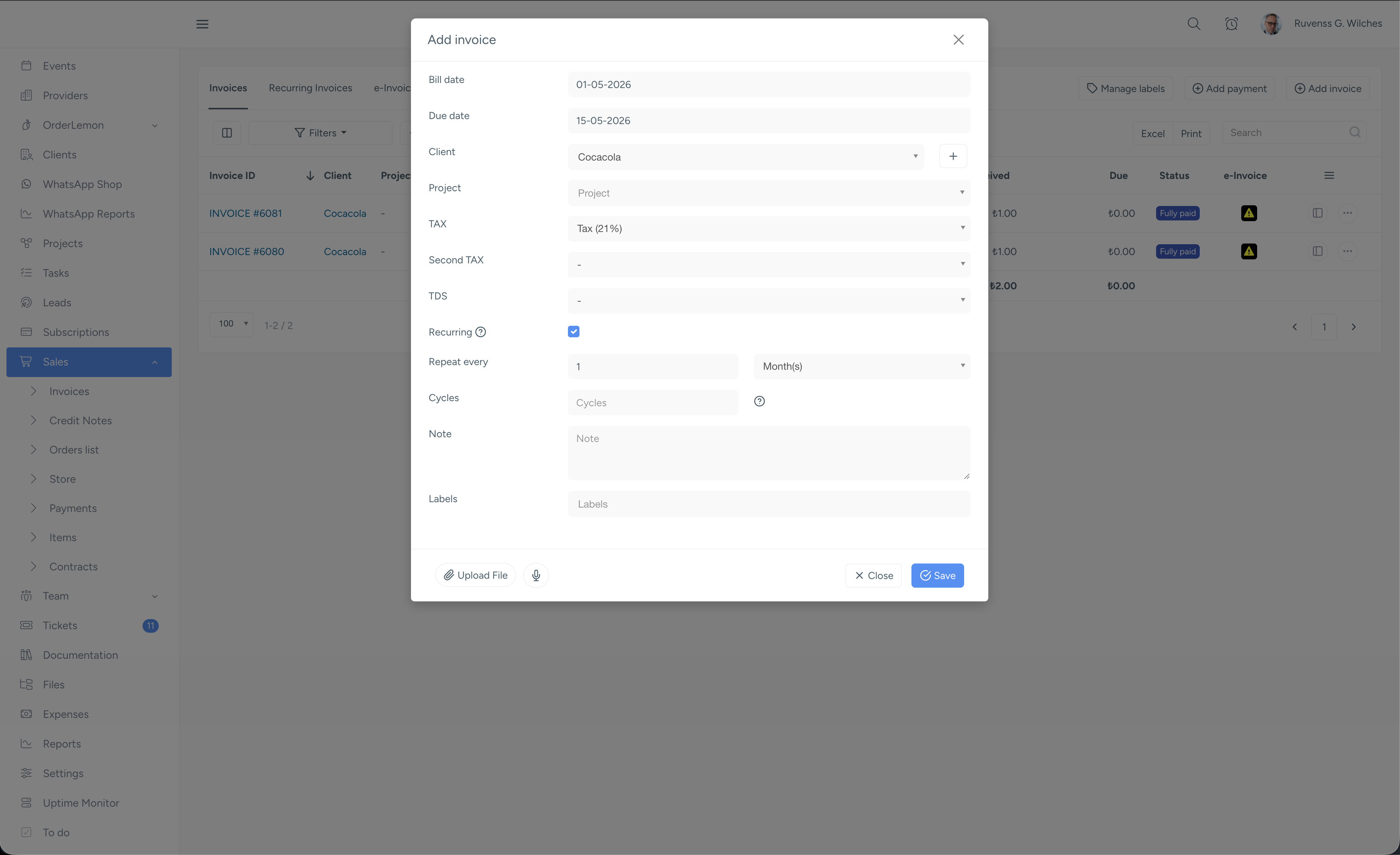
Once all fields are configured, click Save. NIZU will automatically generate and dispatch invoices according to your defined schedule.
Note: Recurring invoices are different from Subscriptions. Not all payment methods are available for subscriptions — see Payment Methods for details.