Friday, 3 April 2026, 8:18 AM
Created by: Konstantin Stojanovski
Yuki is an online accounting program. You can find more information about Yuki on this website.
What does the integration do?
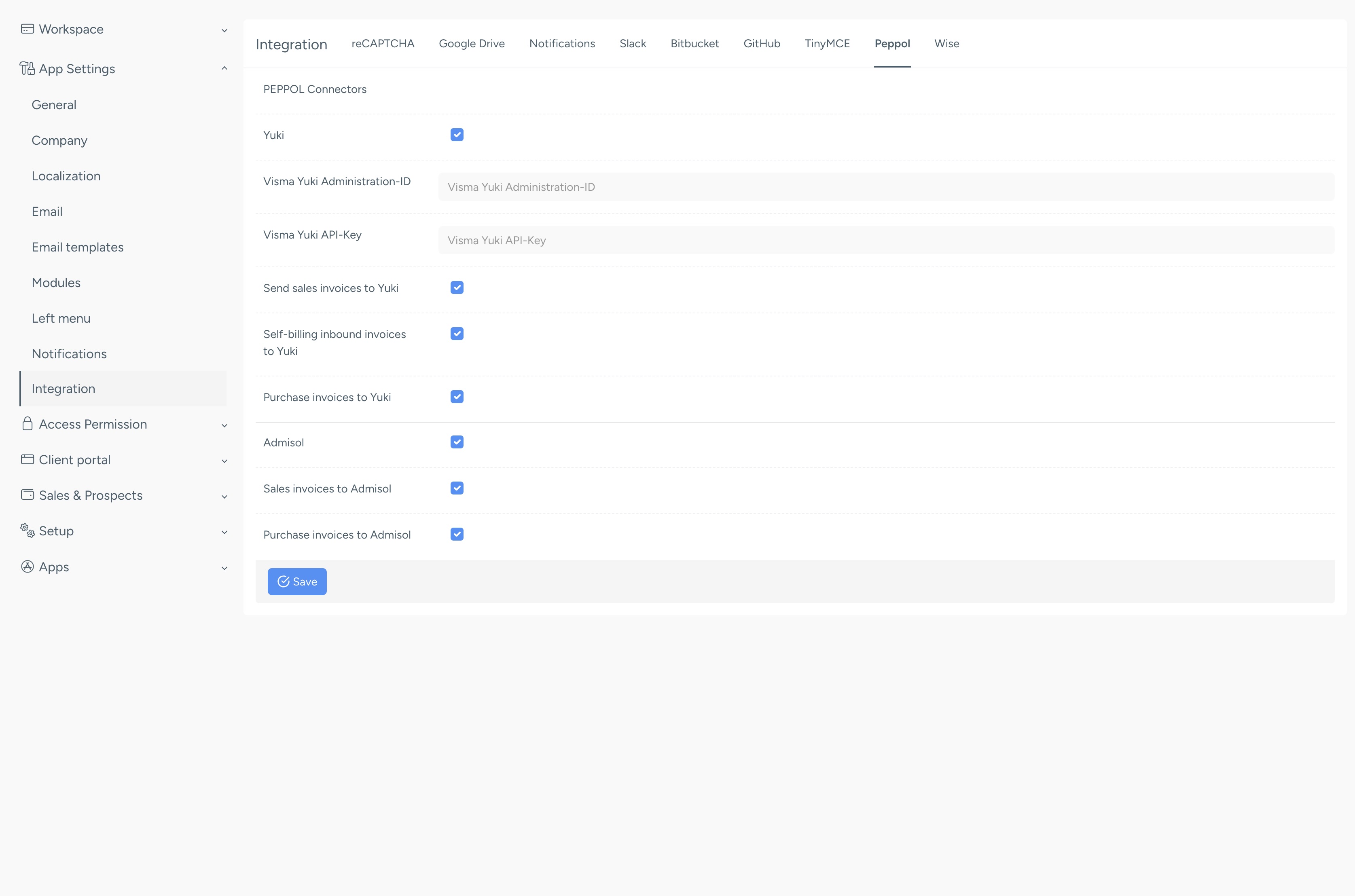
Forward internal documents regarding daily receipts (daily receipt invoices), cash book, sales invoices, received self-billing invoices, and/or sent self-billing invoices to an administration in Yuki. For this, you need an Administration ID and an API key from Yuki.
You can choose whether the daily receipts are booked in Yuki via a sales invoice or via the cash book. If it goes through the cash book, the daily receipts are not included in the total number of invoices in the Yuki bundle.
Creating an API key in Yuki
To connect NIZU to Yuki, an API key must be created for the administration.
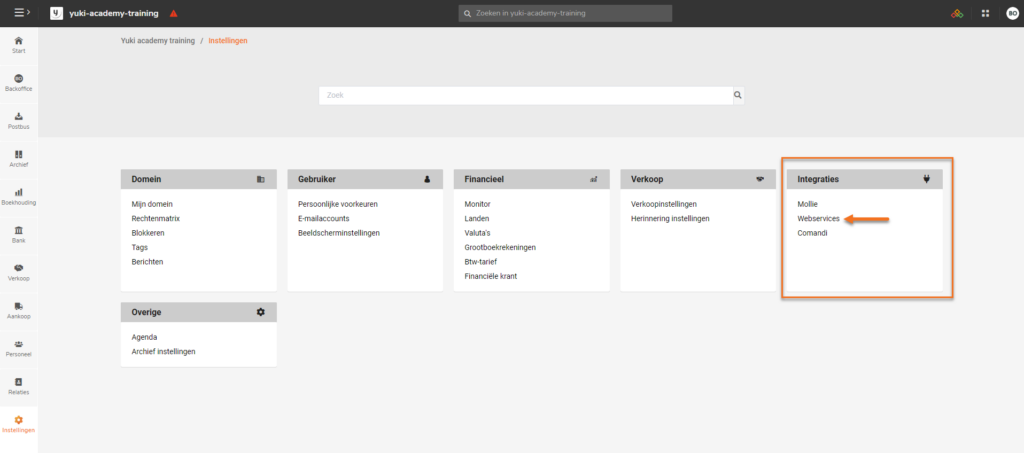
A user with the role 'management' or 'back office employee' can generate an API key in a Yuki domain. To do this, go to 'Settings' and click on 'Web services' under Integrations.
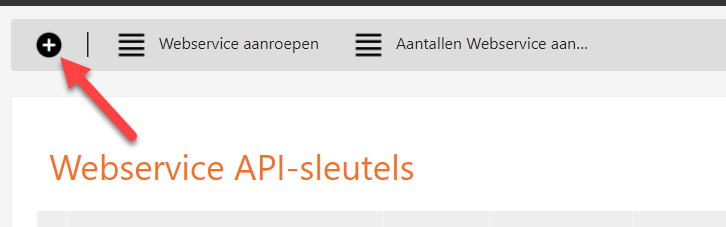
At the top left, click the cross (add button) to create a new API key:
When you click on this, you can create a domain API key. Leave the Type set to 'Administration' so that the Administration ID is also visible.
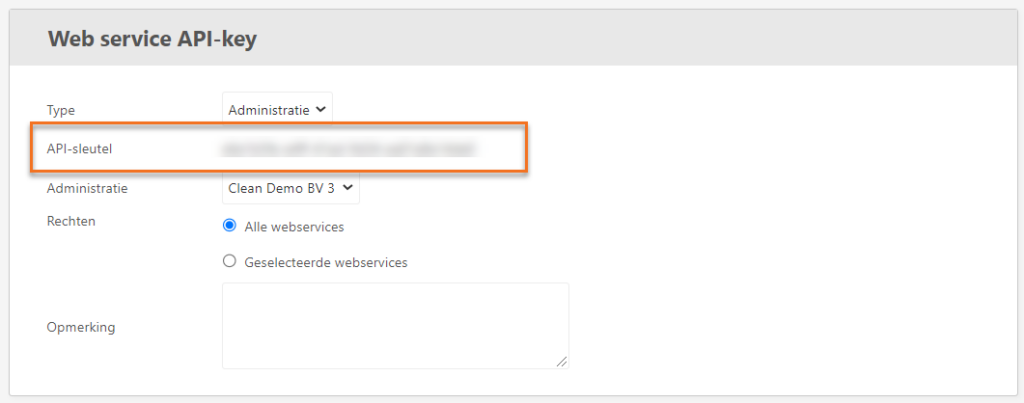
It is best to leave the permissions set to 'All web services' .
In the comments section, you can enter ' NIZU' so that you remember later that this API key is for NIZU.
Finally, click 'Save' to view the newly created API key with the corresponding Administration ID

Please note:
- If you wish to link multiple administrations, you must create multiple API keys.
- Do not under any circumstances swap the codes, as this will prevent the connection from working.
You can find more information on the Yuki website .
Preparing YUKI In NIZU
Follow these steps as Administrator