

Friday, 13 March 2026, 2:32 PM
Created by: Konstantin Stojanovski
This setting ensures that clients provide all required company information before completing a payment. It is particularly useful for B2B transactions, where legal or accounting regulations require specific company details on invoices.
When this option is enabled, the system will prevent payment until the client’s company profile contains the required information.
Enable this setting if your country or business model requires mandatory business information for invoicing, such as:
Tax Identification Number (VAT / Tax ID)
Company Name
Business Address
Contact Email
Other legally required billing details
This helps ensure that every invoice generated by your store contains the necessary data for accounting, compliance, and tax reporting.
A client places an order in your store.
Before completing payment, the system checks whether the client’s company profile contains the required information.
If the information is missing, payment will be blocked.
The client will be asked to complete their company information before proceeding.
This guarantees that all paid orders include valid billing information.
Go to Settings in your dashboard.
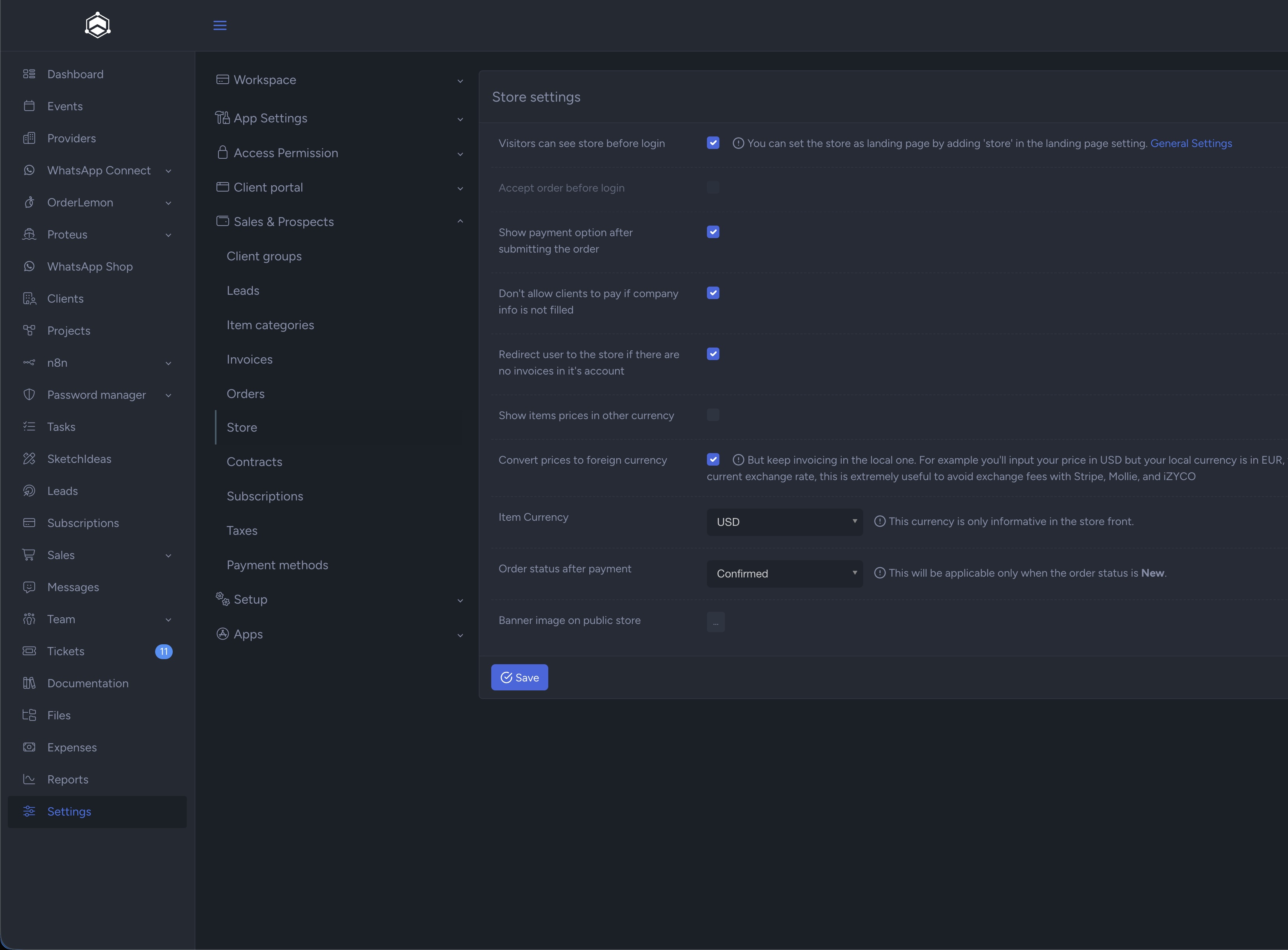
Navigate to Sales & Prospects → Store.
Locate the option:
“Don’t allow clients to pay if company info is not filled.”
Enable the checkbox.
Click Save.
Once activated, the rule will apply to all new payments made in your store.
The setting can be found in the Store Settings section.
This option is recommended for:
B2B stores
Businesses issuing official tax invoices
Companies operating in jurisdictions where VAT or Tax ID is mandatory
By enforcing complete company information before payment, you avoid administrative corrections later and ensure invoices are compliant from the moment they are issued.