

Saturday, 13 June 2026, 10:40 PM
Created by: Konstantin Stojanovski
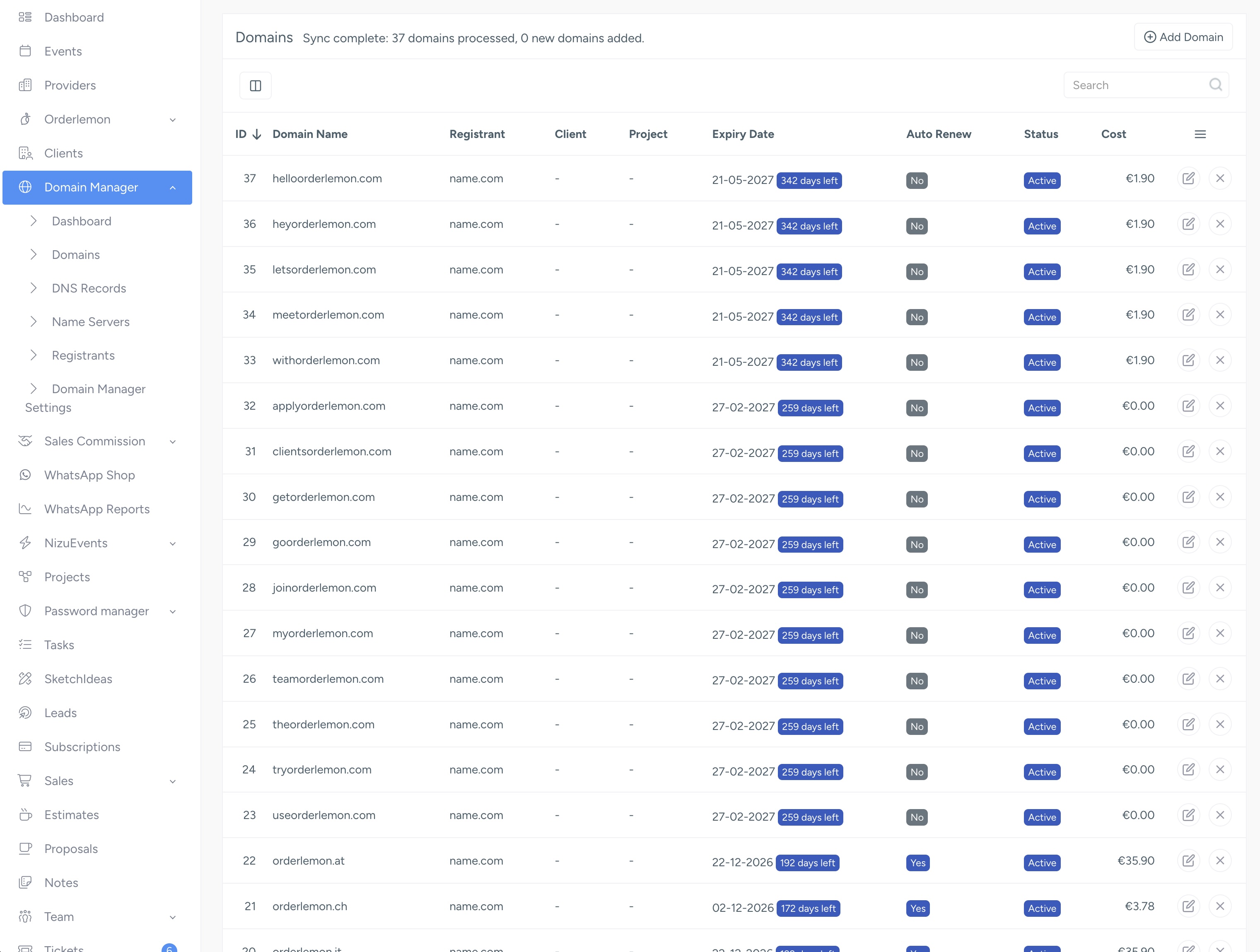
Domain Manager is a NIZU app that brings all your domains, DNS records and nameservers into your workspace — synced directly from your registrar, manageable by your team, and shareable with your clients.
What it is?
Domain Manager turns NIZU into a single place to keep track of every domain you or your clients own. Instead of logging into your registrar to check an expiry date or change a DNS record, you do it from inside NIZU — next to the clients, projects and invoices those domains belong to.
It connects to your registrar through their API. Today it supports name.com, with Cloudflare and Porkbun planned for the future.
What it does
? Syncs your domains automatically
Connect your registrar once and Domain Manager pulls in your domains — names, expiry dates and status. Opening the domains list refreshes them automatically, so the list is always current.
? Manages DNS records live
Add, edit, delete and test DNS records (A, AAAA, CNAME, MX, TXT, NS, SRV, SOA) right from NIZU. Changes are pushed to your registrar in real time, so what you see in NIZU matches what's actually live.
? Controls nameservers
View and update a domain's nameservers, fetched straight from the registrar.
? Links domains to clients and projects
Assign a domain to a client and a project, so everyone sees which domains relate to which work.
? Shares safely with clients
Give a client controlled access to their own domains through the client portal. You decide exactly what each client contact can do — view DNS, edit records, manage nameservers, or request a transfer code — without giving away your registrar login.
⏰ Tracks expiry
Expiry dates are highlighted (and optional email notifications can warn you before a domain lapses), so renewals never slip through the cracks.
? Keeps an audit trail
Every call to your registrar's API is logged for your records — without ever storing your secret API token in the log.
Who it's for
Agencies and IT teams who manage domains on behalf of many clients and want one clean overview.
Staff who need to make a quick DNS change without hunting for registrar credentials.
Clients who want visibility (and, if you allow it, control) over their own domains in your portal.
How access works
Staff see Domain Manager in their sidebar, with each area (Domains, DNS Records, Name Servers, Registrants, Settings) gated by role permissions you control.
Clients see a Domains section in their portal showing only the domains assigned to them, limited to the actions you've granted.
The main areas
Area What it's for
Dashboard A quick overview of your domains.
Domains The full list of domains, with expiry, status, client and registrant.
DNS Records Pick a domain, then manage its DNS records.
Name Servers Pick a domain, then manage its nameservers.
Registrants Your registrar connections (e.g. your name.com account and API token).
Settings Default provider, expiry notifications, and the ticket type used for transfer-code requests.
Next steps
How to Use Domain Manager — a full walkthrough from setup to daily use.
How to Connect name.com — get your API credentials and link your account.
Domain Manager Best Practices — get the most out of it safely.