Channels
The Channels section in the Orderlemon Admin App allows staff members and administrators to manage and assign WhatsApp channels to shops in a centralized and efficient way.
Requirements
To access and manage channels, you must have staff or administrator permissions within your NIZU workspace.
Accessing Channels
- Log in to your NIZU workspace.
- Click on the Orderlemon menu in the navigation.
- Select Channels from the dropdown
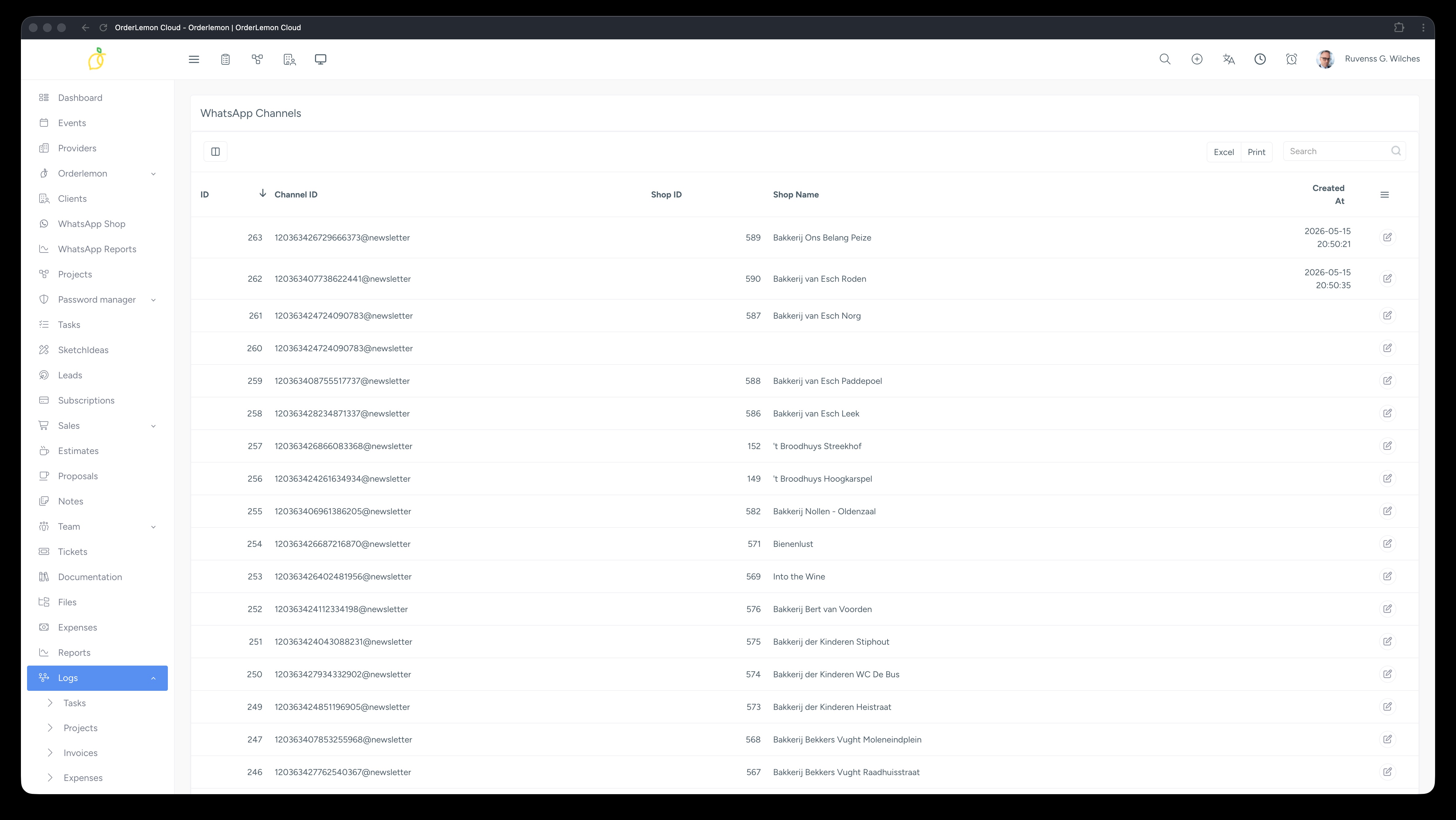 .
.
Assigning a Channel to a Shop
- Locate the channel you wish to assign in the channels list.
- Click the pencil (edit) icon on the right side of the channel row.
- In the shop selection field, type the name of the shop you want to assign.
- Select the shop from the suggestions that appear.
- Click Save to confirm the assignment
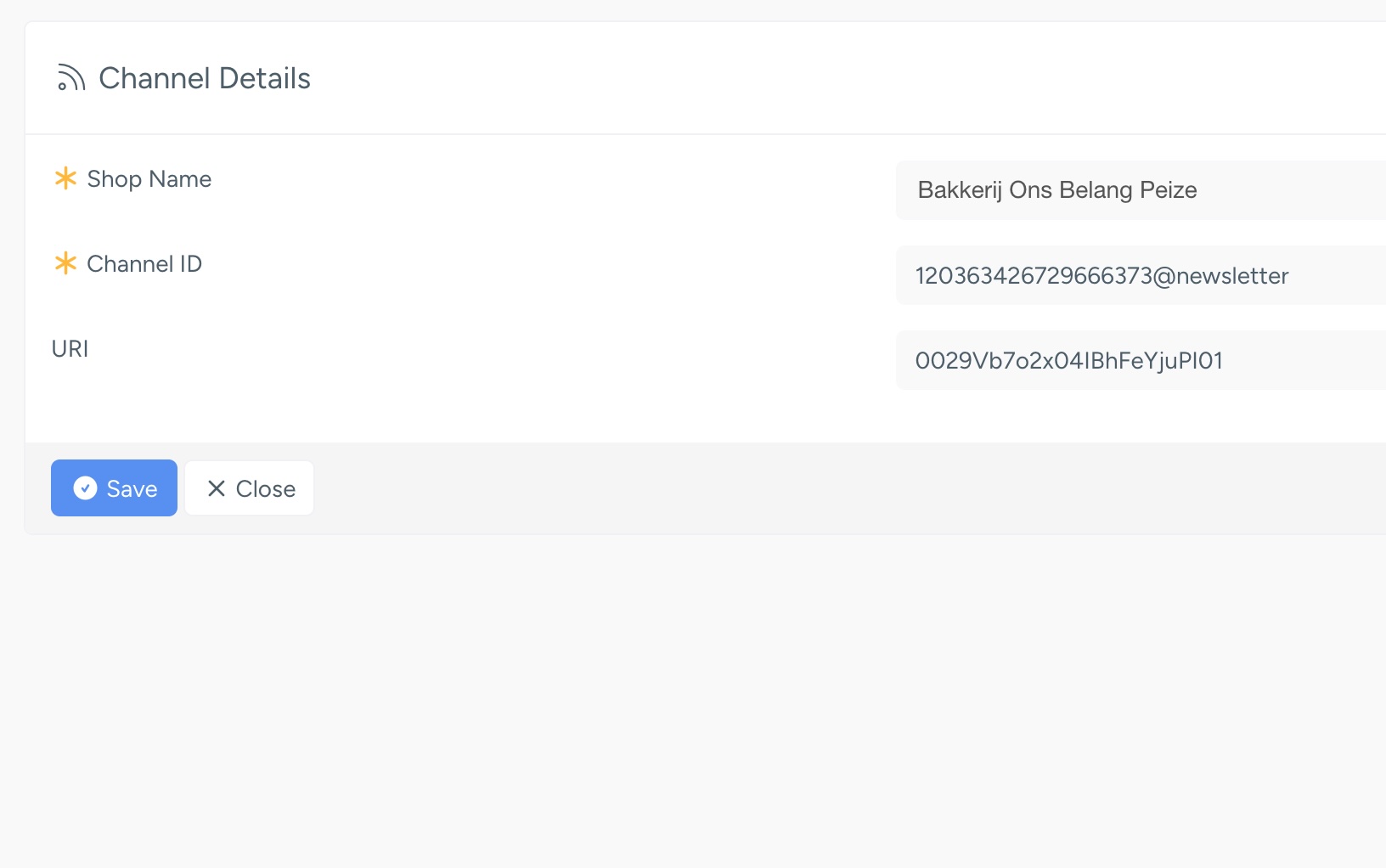
Saturday, 16 May 2026, 12:40 PM
Created by: Konstantin Stojanovski

