Store
Documentation
Sign in
Menu
Getting started
Preferences and Setup
Clients
Providers
Sales
Expenses
Project Management
Invoicing
Payments
Subscriptions
Security & Access Management
Support
Google
Apps: Appointments
Apps: Uptime Monitor
Apps: n8n.io
Apps: Telegram
Apps: Bank Statements Import
Apps: OrderLemon Admin
Apps: URL Shortener
Apps: WhatsApp Shop
Apps: Domain Manager
Apps: WhatsApp Igniter
Apps: Live Testing
Apps: CRUDy
Apps: AI Reports
Apps: Gamify
App: Sales Commission
Apps: Marvin
Apps: NIZU Translations Contributor
App: Organigram
Apps: i18ntranslator
Single Sign On SSO
Apps: Club Events Management
Developers
REST API
Apps
Auth
Clients, Leads and Contacts
Events
Expenses
Invoices, Payments and Credit Notes
Labels
Logistics
Logs
Messages
Projects
Shop
Staff / Users
Subscriptions
Support
Tasks
Tax
Change logs
FAQ
How to add a user to an existing project
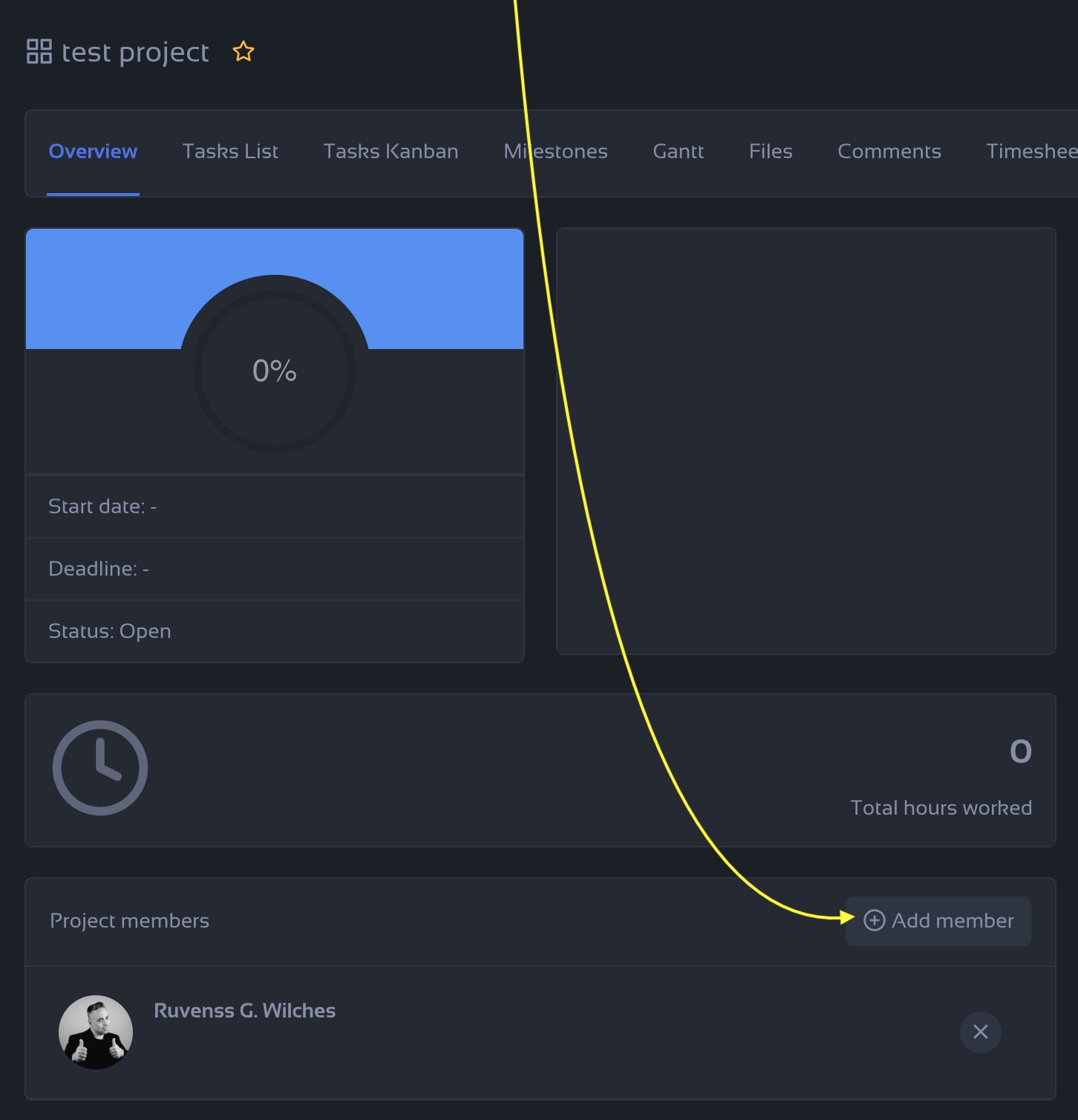
After creating a project is always difficult to find out where to click to add a user to an existing project.
Project Management
How to add a user to an existing project
Share
Copy link
Open in new tab
Send link by email
Share on
LinkedIn
WhatsApp
Telegram
Facebook
Step by Step:
Click on the Projects menu on your side bar
Select the project
Be sure that you are in the Overview TAB(or the first tab)
Scroll down until you find the button + Add member
Select the member you want to add, and that's it.
Was this article helpful?
Yes
No
Saturday, 7 February 2026, 3:08 PM
Created by:
Ruvenss G. Wilches
Personal Reminders Tip
Delete?
Are you sure? You won't be able to undo this action!